
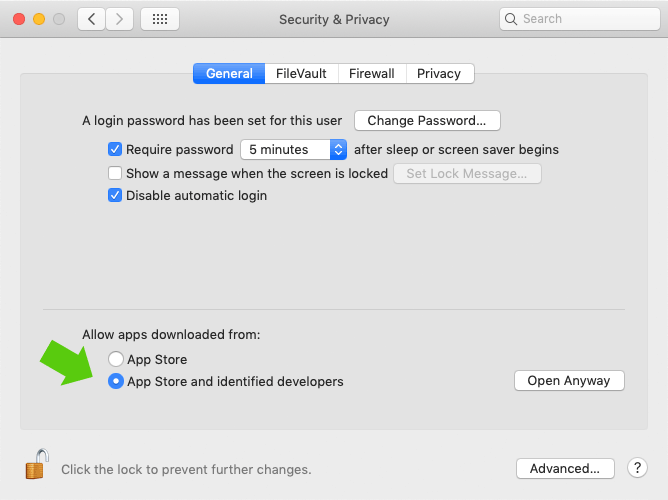
Before installing check your settings:
1. Open:Β System Preferences > Security & Privacy > General
2.Β You must select “App Store and identified developers”
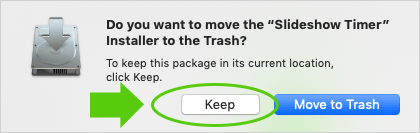
3. Unzip file and run the installation. After installation press “Keep“.
Done? Download the timer here:
βΉοΈ Important note for Mac users:
Slideshow Timer is currently an Intel-only app. It works perfectly on all current macOS versions, but might not be supported in future macOS releases (expected from macOS 28 onward, late 2027).
We are evaluating an update for Apple Silicon (M-series) Macs. A free update will be provided if/when it becomes available.
